Setting Up a Desk for Ergonomics: Screen Height, Chair and Movement
A desk that is slightly wrong can cause strain over weeks. This guide covers screen height, chair set-up, keyboard reach and why regular movement matters as much as furniture.

A monitor set slightly too low, a chair that pushes the lower back forward and a screen placed off to one side rarely cause trouble on their own. Over weeks at the same desk, though, those small mismatches add up to stiffness and strain. Most office discomfort builds this way rather than from a single dramatic moment.
Ergonomics is the practice of fitting the workspace to the person using it. Most of the adjustments cost little and take only a few minutes, and they can be made in a set order: screen first, then chair, then the reach to the keyboard and mouse.
Setting the Screen Height and Viewing Distance
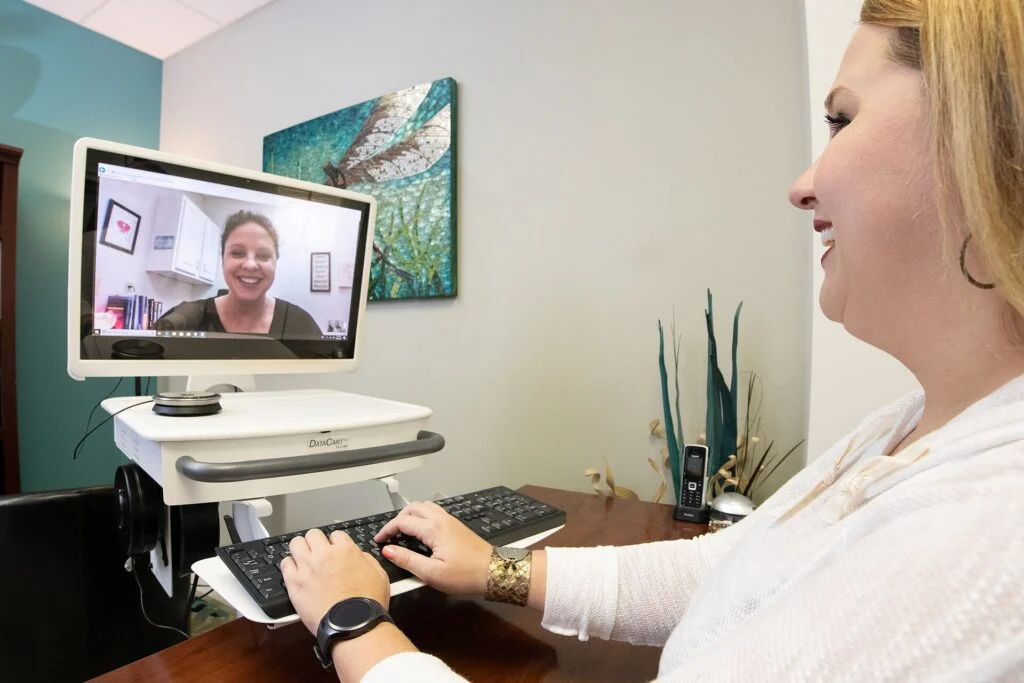
The top of the screen should sit at or just below eye level, so the neck stays in a fairly neutral position rather than tipping forward or back. Many people work with the monitor too low, usually because they are looking at a laptop screen that lies flat on the desk.
If the screen is low, raise it on a stand, a stack of sturdy books or a monitor arm. A separate keyboard and mouse then allow the screen to move up without forcing the arms into an awkward angle. A simple check is to sit in the working position, look straight ahead and note where the eyes land. If they drift to the top of the screen, the monitor is too high. If they fall to the bottom, it is too low.
Distance matters too. A screen that is too close makes the eyes and neck work harder, while one placed far away can encourage leaning forward. Sitting at roughly arm’s length is a common starting point, but the right distance depends on text size and vision. Adjust it until text is comfortable to read without squinting, and position the screen so that windows and overhead lights do not reflect in it.
Setting Up the Chair for Support
A supportive chair should allow the feet to rest flat on the floor, or on a footrest if the desk is high. The seat depth should leave a small gap between the back of the knees and the edge of the seat, so the thighs are not pressed against it.
Backrest support should reach the lower back. Armrests, if present, should let the shoulders relax rather than lift. If a chair has adjustable height, backrest tilt and lumbar support, spend a few minutes setting each one, because the default position is rarely the best. Once the chair is set, sit back so the lower back meets the backrest and check the screen again, since a change in seat position alters eye level.
Where a chair cannot be adjusted properly, a cushion or a small rolled towel behind the lower back can help. These are stopgaps rather than replacements. A chair that is worn out or the wrong size for the user is better replaced than patched.
Keyboard, Mouse and Reach
Keep the keyboard and mouse close enough that the elbows stay near the sides and the forearms can rest at a comfortable angle. Reaching forward for the mouse over long periods often leads to shoulder tension, and the problem is easy to miss because the reach feels small at first.
Desk height links to these points. If the desk is too high for the chair, the shoulders tend to lift to reach the keys. Adjusting the chair first and then the desk or footrest keeps the reach consistent. Wrist rests can help between bursts of typing, but they work best for resting rather than as a pivot point while the hands are moving.
Frequently used items, such as a notebook or phone, belong within easy reach. This stops the body from twisting repeatedly to get them, which is a small motion that adds up over a full working day.
Why Movement Matters as Much as Furniture
Even a perfectly set-up workstation becomes uncomfortable if it is held in one position for hours. Changing posture is one of the simplest ways to reduce stiffness. Standing for part of the day, walking to a printer or a colleague, and shifting weight or adjusting the seat from time to time all help. Movement does not need to be a formal exercise routine. Standing to take a call or moving to a different surface for part of a task changes which muscles are working.
Many people find that short, regular breaks work better than one long break a day, because they interrupt static posture before discomfort sets in. A habit of standing up at natural pauses in the work is easier to keep than a timer-driven plan.
Pain that persists, spreads or wakes a person at night is a reason to talk to a doctor or a qualified physiotherapist rather than keep adjusting equipment alone. Ergonomic changes can reduce strain, but they are not a substitute for assessment when symptoms are ongoing.
A Checklist for the Workday
Start by checking the screen height, then the chair, then the reach to the keyboard and mouse. Note how the body feels after an hour, and adjust one thing at a time so it is clear which change helped.
If the role involves long hours at a screen, ask an employer about a workstation assessment. Keep any equipment requests in writing so they can be followed up. Revisit the set-up after a week or two, since a new task or a different screen can shift the settings that were right before.
This article is general information rather than medical or legal advice.